
Product color ideas
Change the color of a product in a photo
Explore color ideas from one product photo. Both of our tote edits added stitching: use them as concept previews and compare details with the real product. One 1K edit is 20 credits.
JPG, PNG or WebP, up to 10 MB
Checking that generation is available.
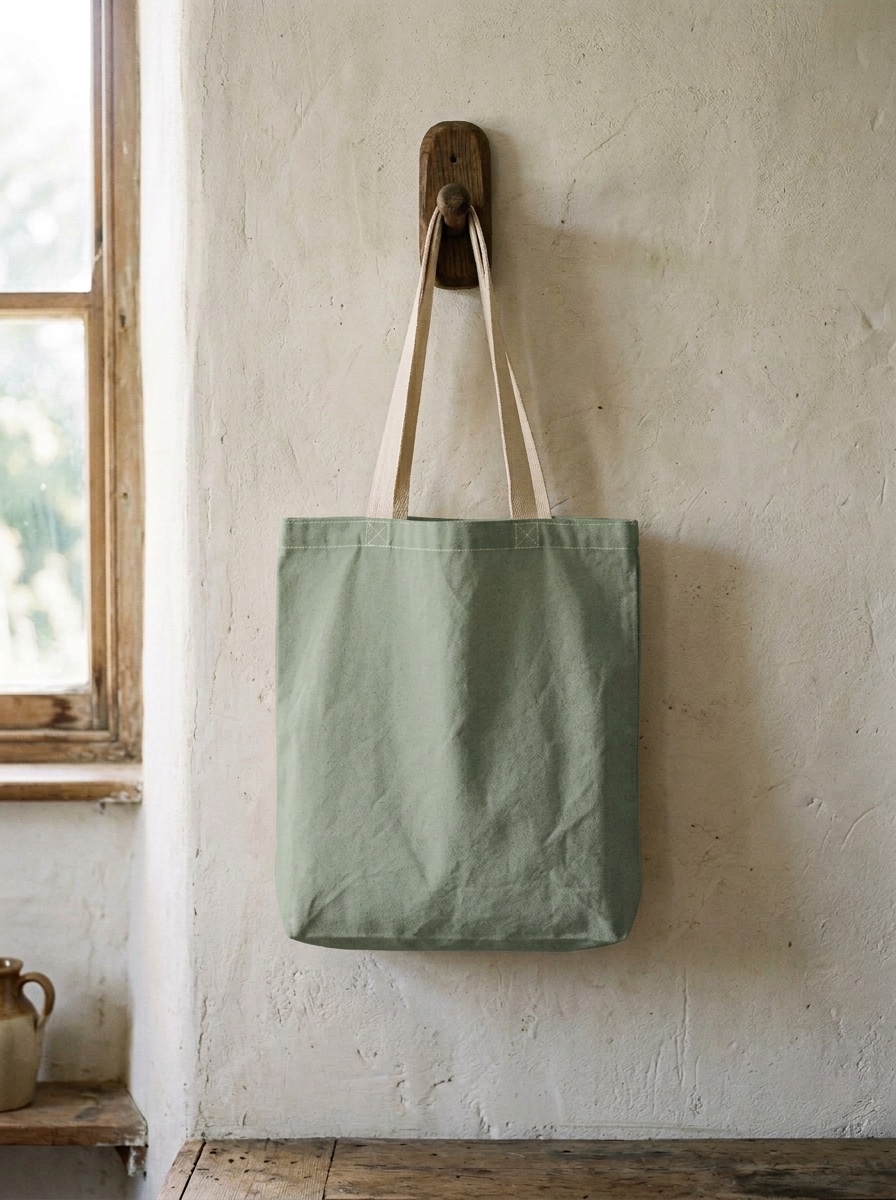
Tote bag recolored to sage green3:4 · 1K2026-10-06
01
How do you preview a product color from one photo?
Upload one product photo, name the new color and the parts to keep, and use the result as a concept preview. We ran one canvas tote in sage green and navy blue. Both kept the folds, the peg and the wall, and both added stitching the original did not show. The straps stayed cream; both prompts asked to keep them unchanged. We have not matched these colors to physical fabric samples. One edit costs 20 credits.
- Colorways run
- 2, on one tote
- Wall and peg
- unchanged to the eye
- Added by the model
- top stitching and strap reinforcements
- One edit
- 20 credits
02
Two colorways from one photo
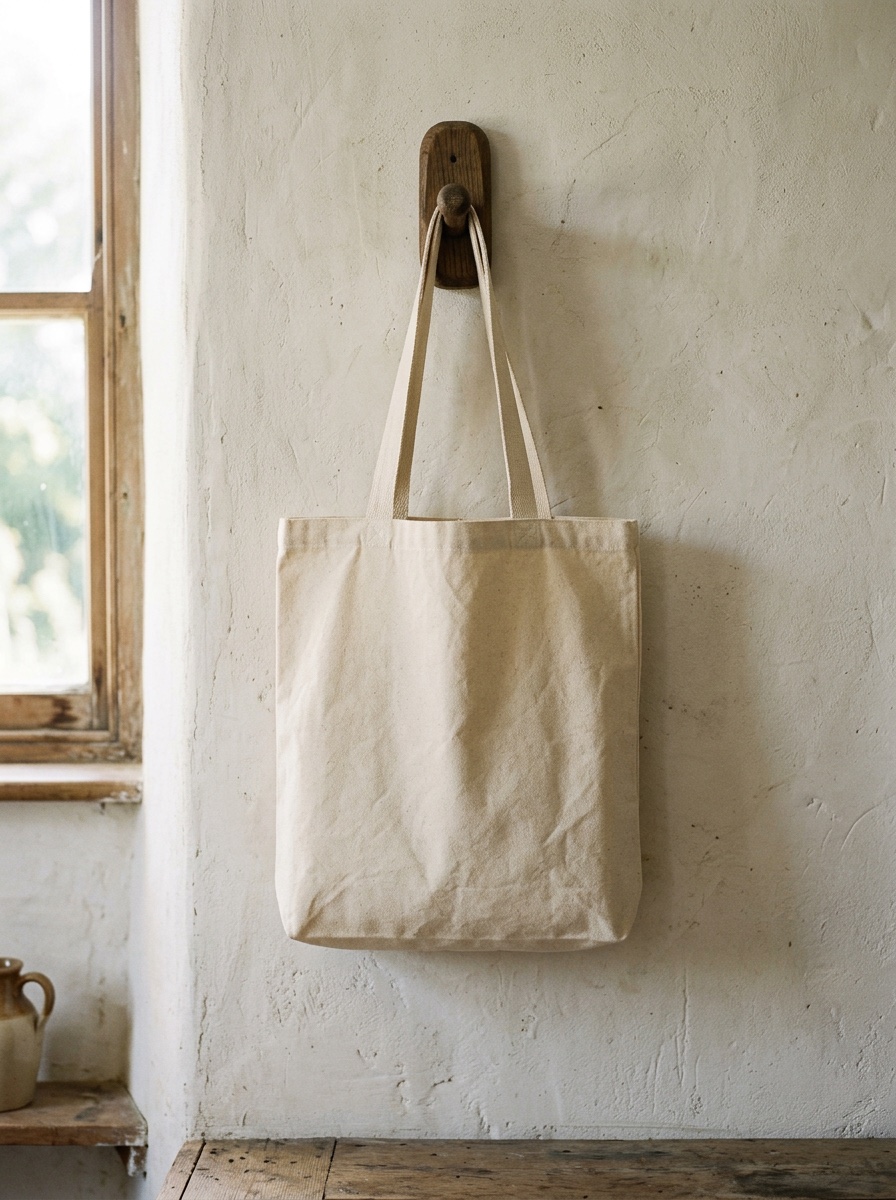
Both edits started from the same cream tote, made earlier from a text prompt. Both ran through fal.ai at 1K on October 6, 2026, at $0.08 each at the API, which is 20 credits here.
Scene 01
Tote bag recolored to sage green
The bag changed to a muted sage green with its folds intact, and the straps, peg and wall look untouched, as asked. The edit drew white top stitching and X-shaped strap reinforcements that the original does not show. Outside the bag the average difference was 3.9 out of 255.
Prompt
Change the tote bag from natural cream to sage green. Keep the straps, the stitching, the folds, the peg and the wall exactly as they are.
- Model
- Nano Banana 2
- Settings
- 3:4 · 1K · 896×1200
- Generated
- 2026-10-06
- Took
- 14 s
- Provider cost
- $0.08
- Here
- 20 credits
- Request
- 01a10e98-b9c6-7501-970c-c25e8796154e
Scene 02
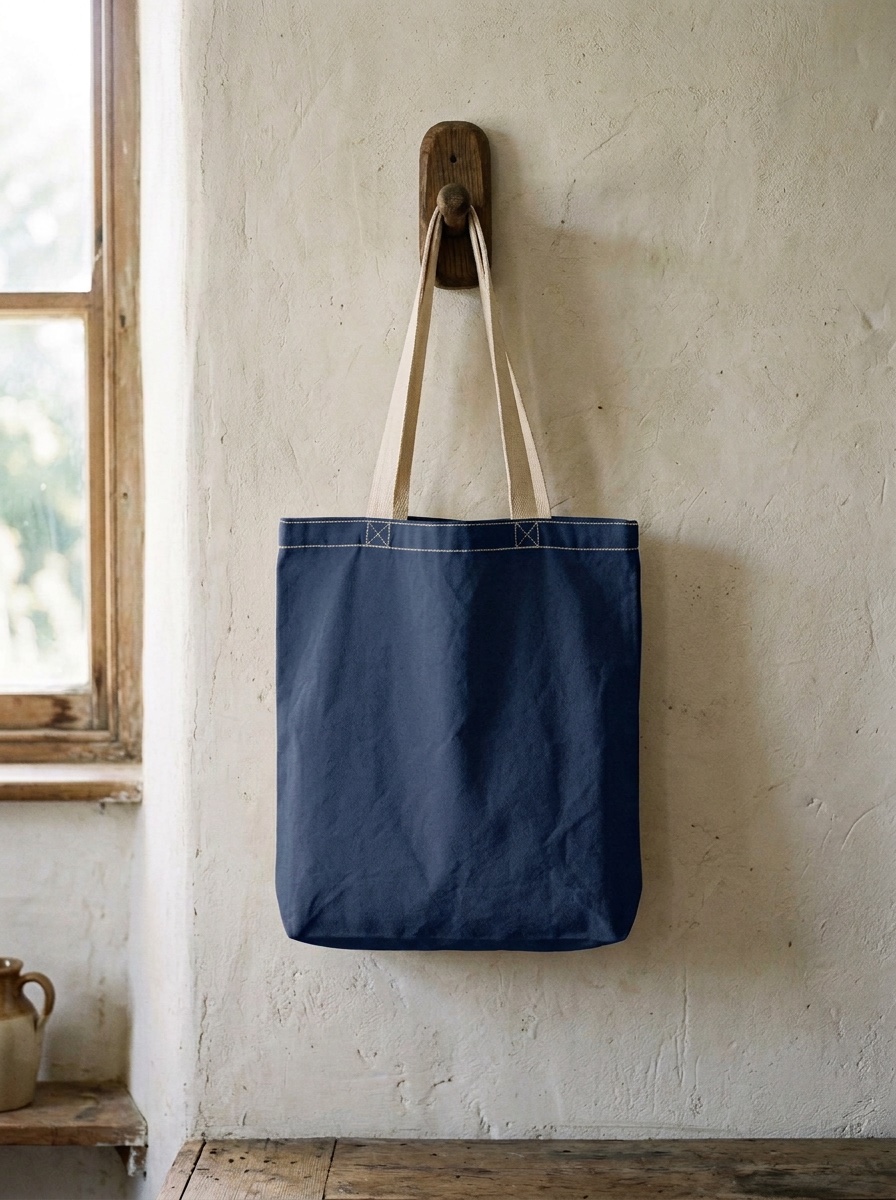
Tote bag recolored to navy blue
The bag changed to navy with its folds intact, and the straps stayed cream, as the prompt said. It drew the same white top stitching and X-shaped reinforcements as the sage edit, which the original lacks. This request took 53 seconds; the others in this set took 13 to 21.
Prompt
Change the tote bag from natural cream to navy blue. Keep the straps, the stitching, the folds, the peg and the wall exactly as they are.
- Model
- Nano Banana 2
- Settings
- 3:4 · 1K · 896×1200
- Generated
- 2026-10-06
- Took
- 53 s
- Provider cost
- $0.08
- Here
- 20 credits
- Request
- 01a10e99-09b7-7710-ac4b-85b02b7f4b56
03
What to check before you use a colorway picture
- The shade. The prompt said “sage green” and “navy blue”; the model chose the exact shades. Do not use a result as a color swatch.
- Added detail. Both edits drew white top stitching and X-shaped strap reinforcements that the starting picture did not show. Check seams, labels and hardware against the real product.
- Parts you keep. The straps stayed cream; both prompts asked to keep them unchanged. Name them if you want them recolored.
- What the picture is. A recolored picture shows what a colorway might look like. It is not a photo of a product you can ship; show buyers real photos of what you sell.
Outside the bag, the average difference from the starting picture was 3.9 out of 255 in both edits, and 1.3% of the pixels moved by more than 12.
04
How to make a colorway here
Upload one product photo
JPG, PNG or WebP, up to 10 MB, of a product you have the right to use. Our runs used a plain bag with no print.
Name the product, the new color and what stays
Name the product, say the color in plain words, and list the parts to keep: straps, stitching, background.
Repeat for each color
Each color is its own edit at 20 credits. There is no batch mode here.
05
Questions about product colors
Can I use a recolored product photo as a store listing image?
Treat these results as color concepts. Both of our tote edits added white stitching and strap reinforcements, and we have not checked their shades against real fabric. Compare details with the product you actually sell and show buyers real photos of it.
Is the new color accurate to a real fabric?
No promise. The model picks the shade for a color word, and we have not matched any result to a physical sample.
Does it keep prints, logos and labels?
We tested a plain bag with no print. Prints, logos and labels are untested here, and the model added stitching to the bag we tried, so check any detail that matters.
Can I make ten colors at once?
Not in one request: each edit makes one picture. Ten colors are ten edits, 200 credits.
What does one colorway cost?
20 credits for one 1K edit, which is $0.20 with the smallest pack. A failed request is refunded automatically.